Smart Financial Analysis that is  Private  •  Secure  •  Efficient  •  Customizable  •  Affordable

All your financial data. One private, AI-powered dashboard — running entirely on your computer.

Private AI Financial Workspace.

A local AI data engine for personal/business finance.

Stop the manual labor. Keep your finances private.

Life happens across multiple bank accounts and credit cards. Sorting through various statements for taxes or financial clarity shouldn't mean spending hours on manual spreadsheets or risking your privacy on public cloud servers.

mybookkeeper-ai brings professional-grade automation directly to your desktop. No data uploads, no leaks — just smart, local analysis.

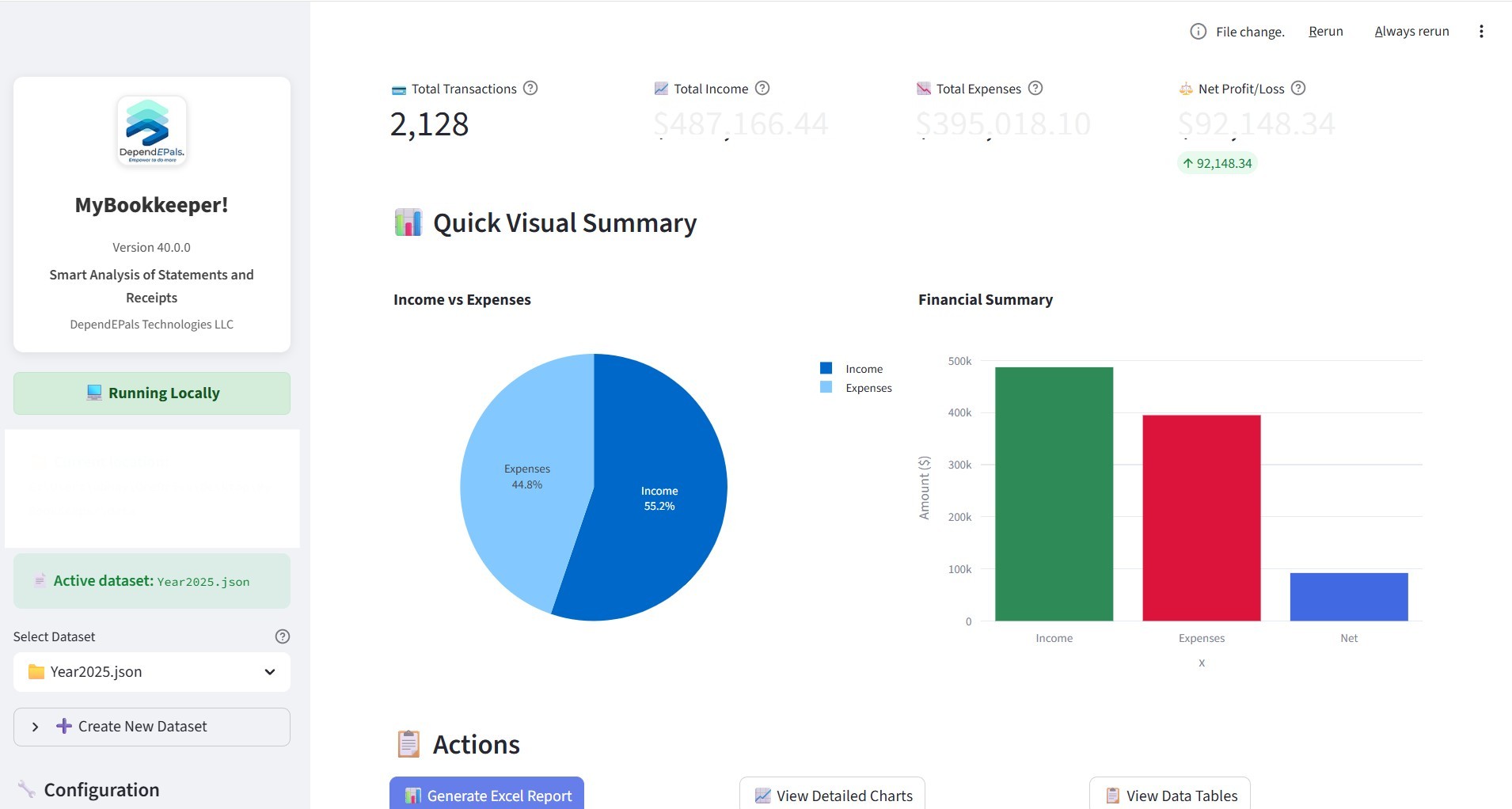
Automatically turn your bank and credit card statements into monthly financial reports in seconds.
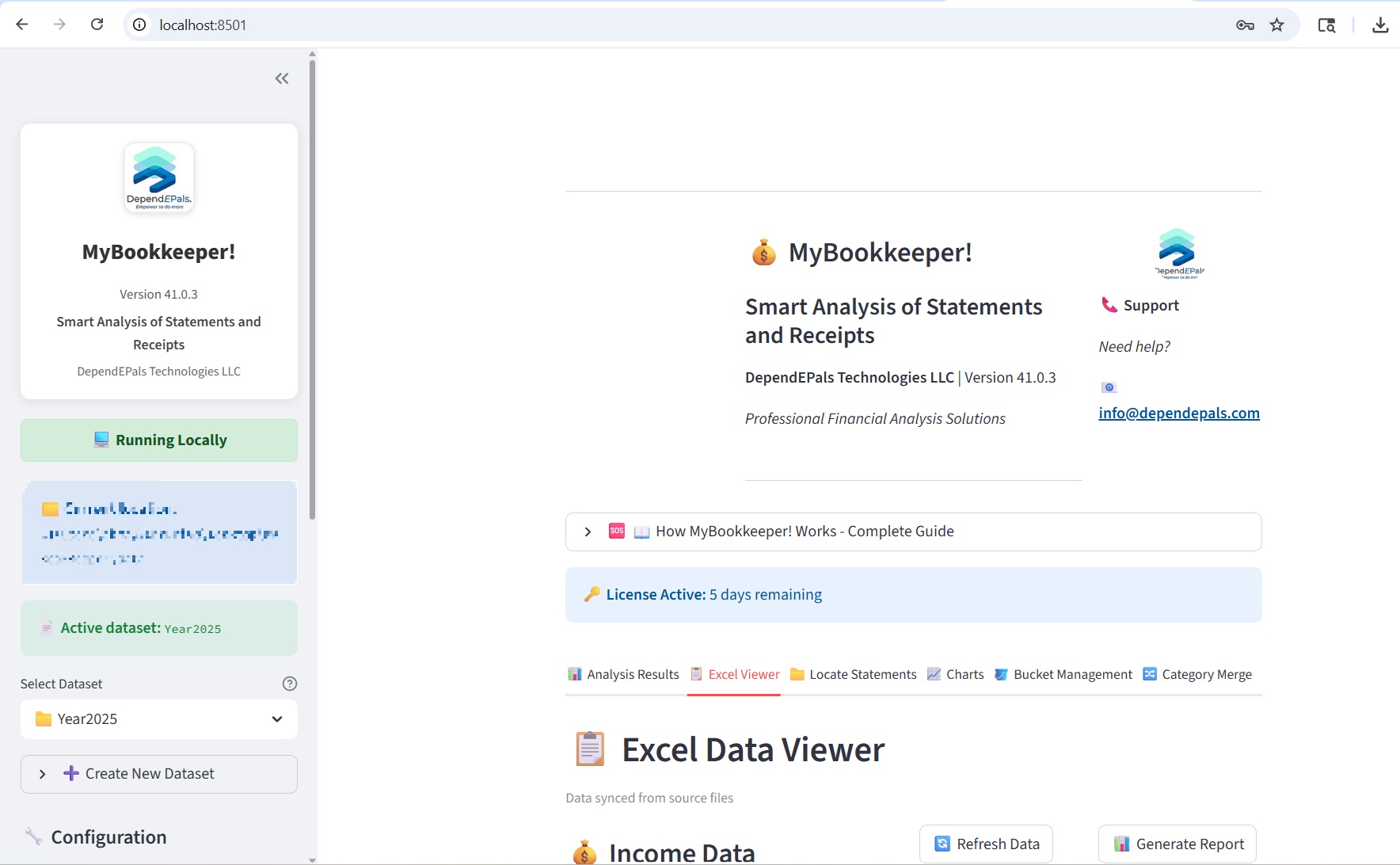
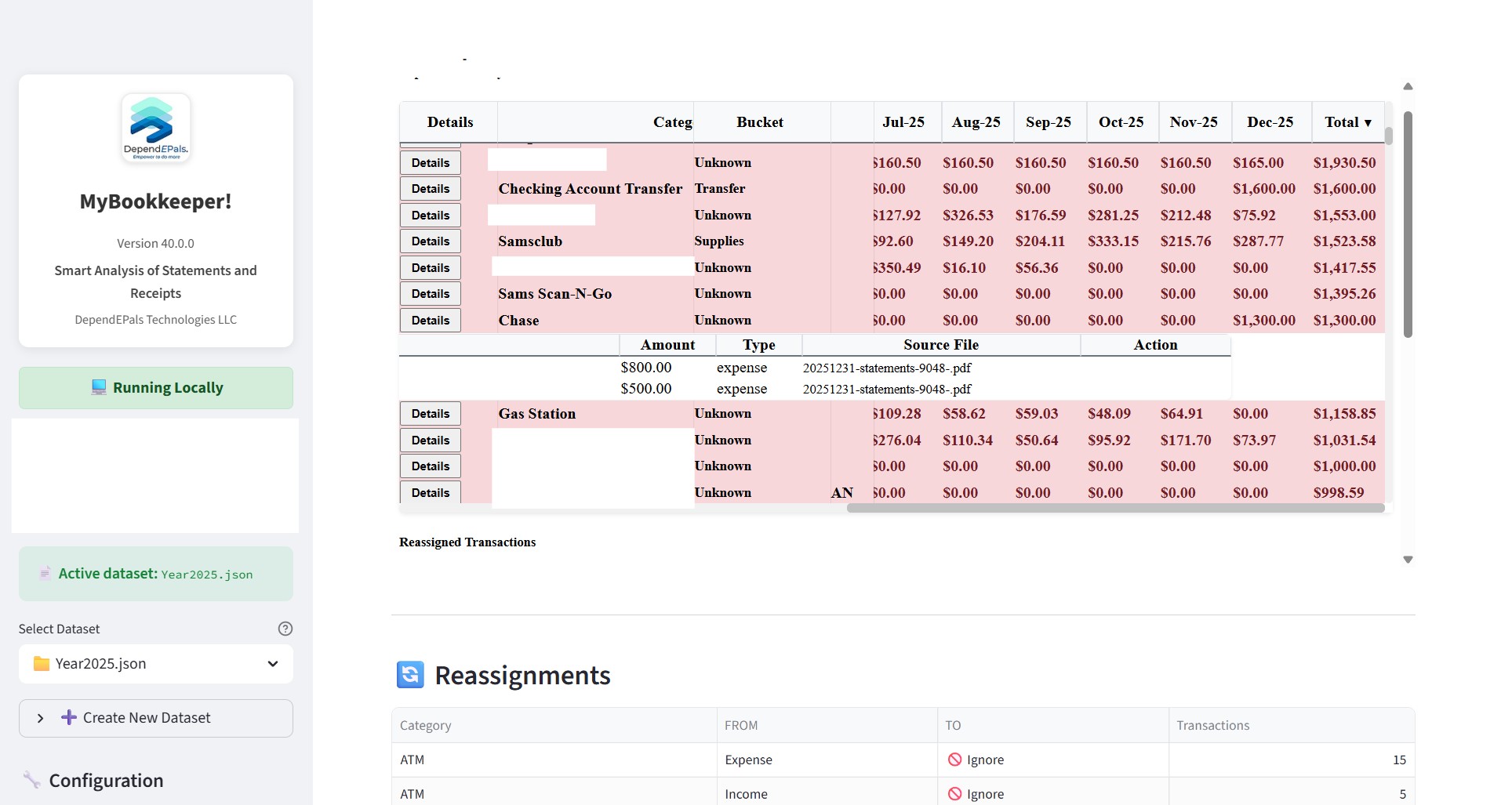
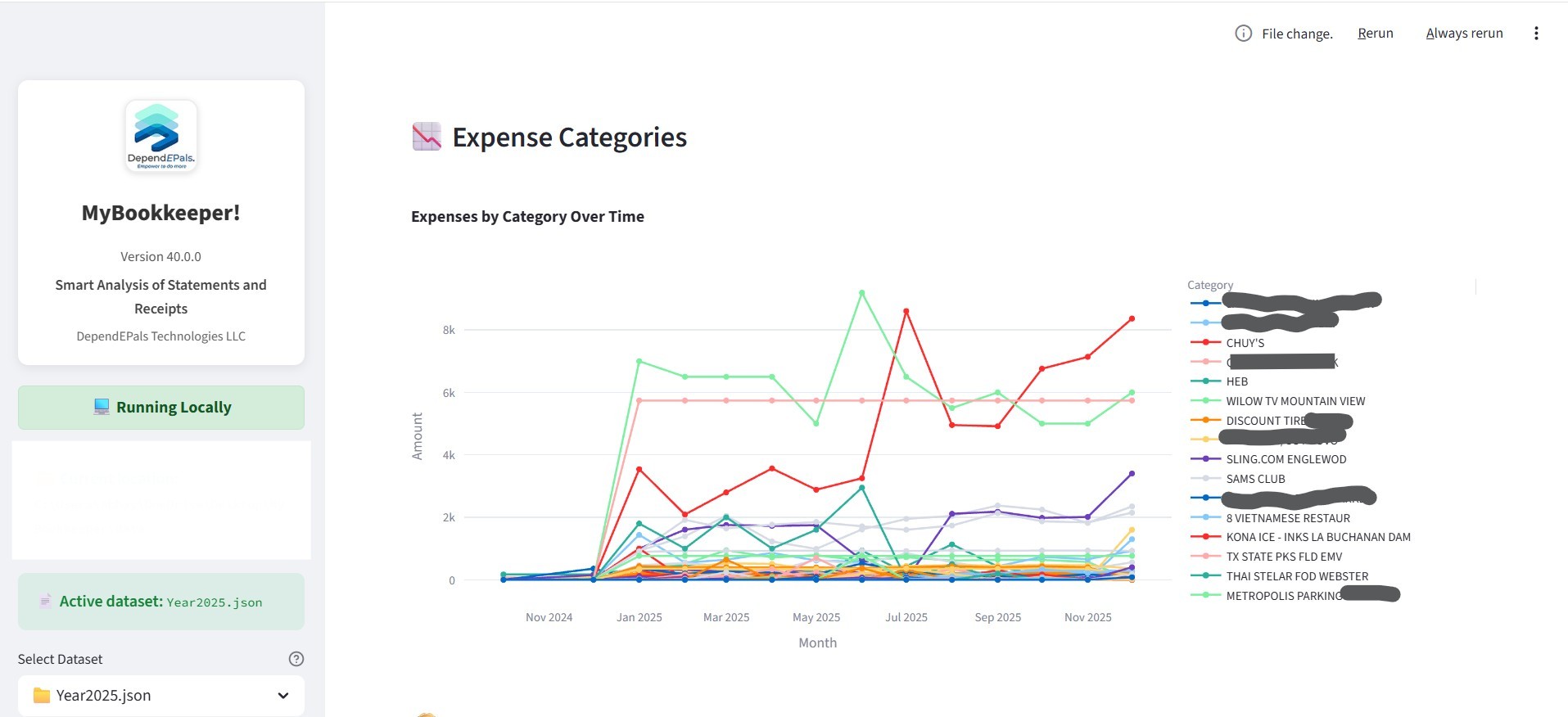
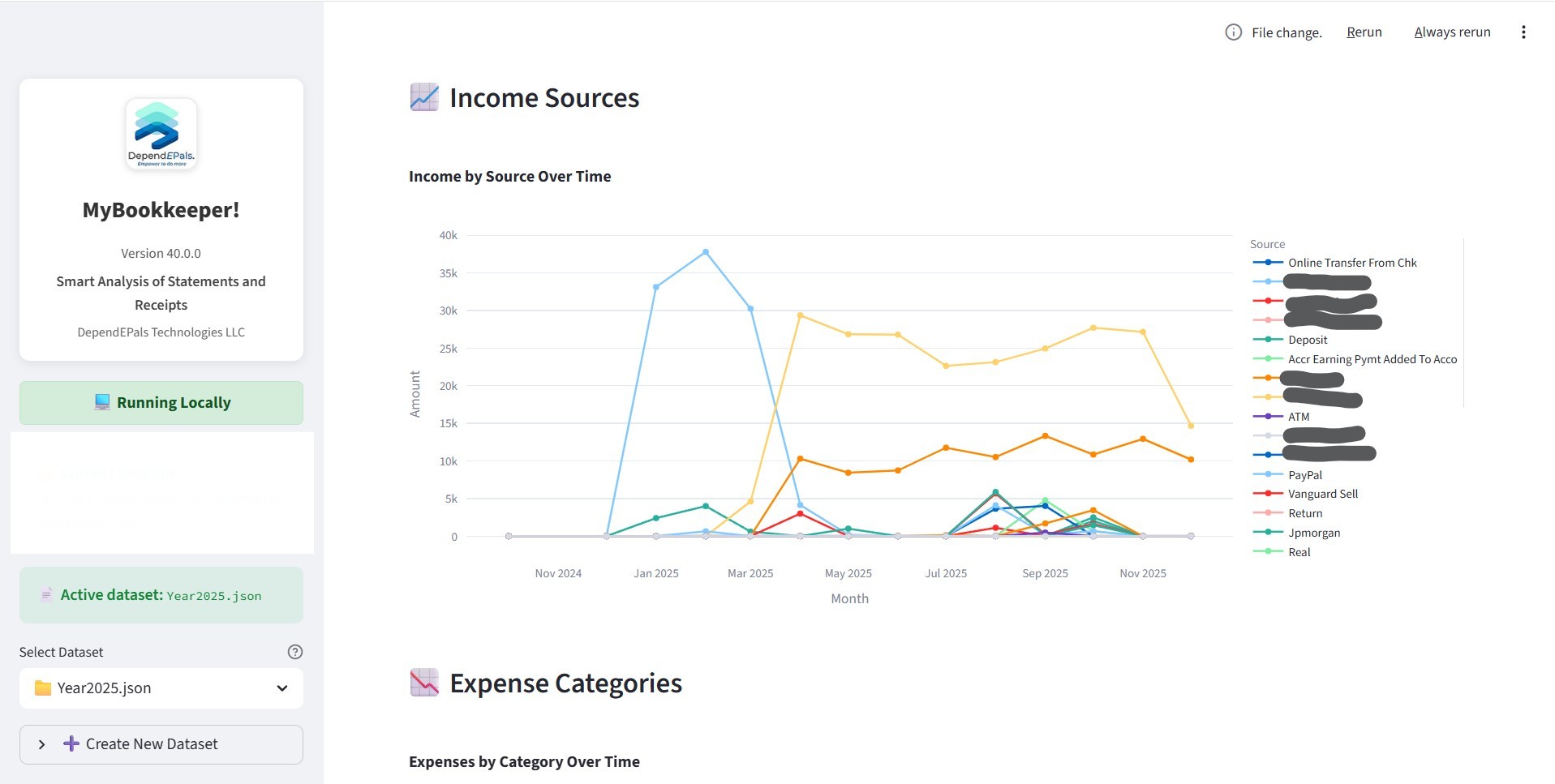
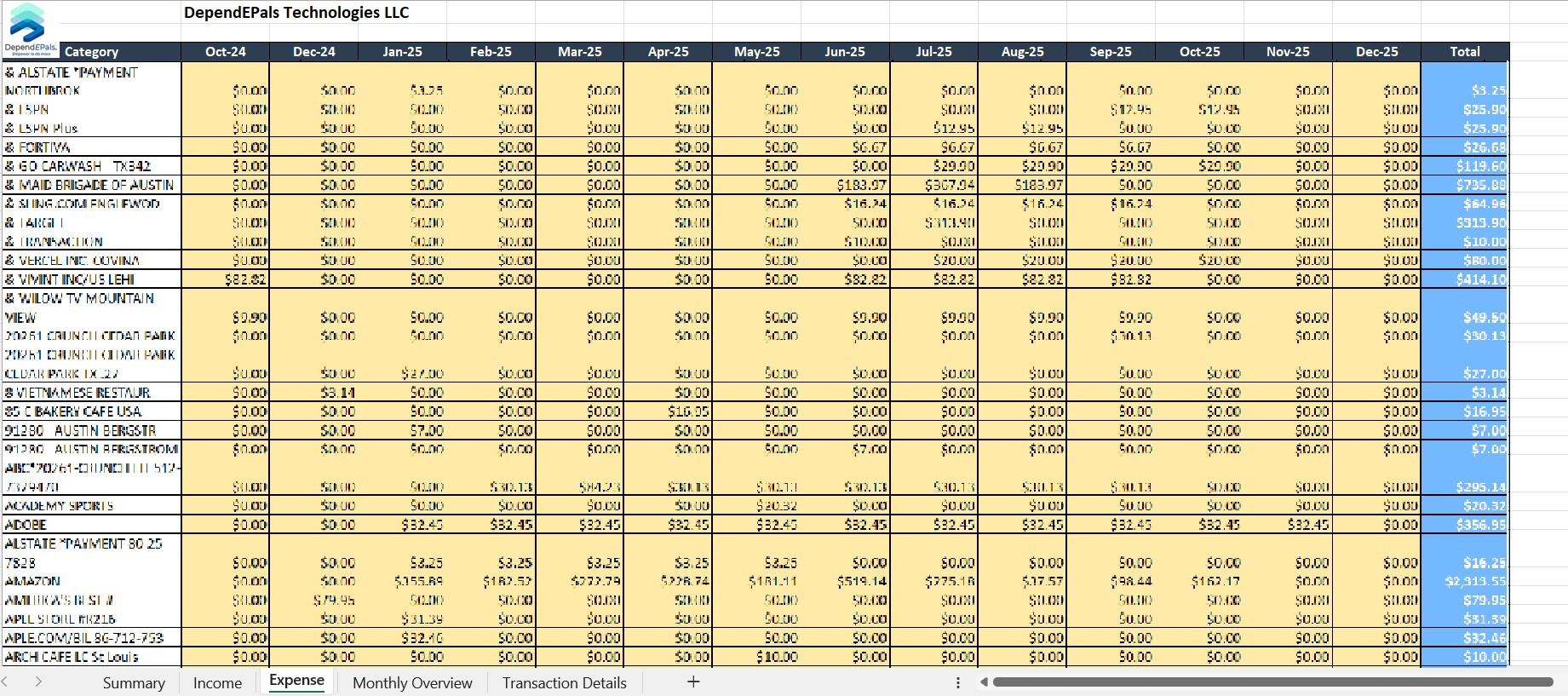
First Screen Excel Viewer Summary Expense Chart Income Chart Excel Report

See It In Action

Watch how easy it is to generate a comprehensive financial report.

Everything You Need for Financial Clarity

Auto-Organized Analysis

Your transactions are automatically categorized into your private folder — no manual entry needed. It gets smarter and more accurate the more you use it.

Easy Transaction Review

Browse all your transactions in a clean, simple list. If something is in the wrong category, move it with one click — no technical knowledge required.

Your Own Spending Categories

Group your expenses the way that makes sense to you. Create your own categories and the app will remember your preferences across all your reports.

Ready-to-Share Reports

Download a polished monthly financial report in a spreadsheet, complete with charts showing where your money went — perfect for sharing with your accountant.

How MyBookkeeper Works

1

Upload Your Statements

Simply drag and drop your bank or credit card statements into the app. No scanning or manual typing needed.

2

Auto-Organized

The app reads your transactions and automatically groups them by category — like groceries, utilities, dining, and more.

3

Review & Fix

Easily browse your sorted transactions and move anything that was placed in the wrong category with just a click.

4

Download Your Report

Get a clean, ready-to-use monthly financial summary in a spreadsheet — organized by month and category, ready to share with your accountant.

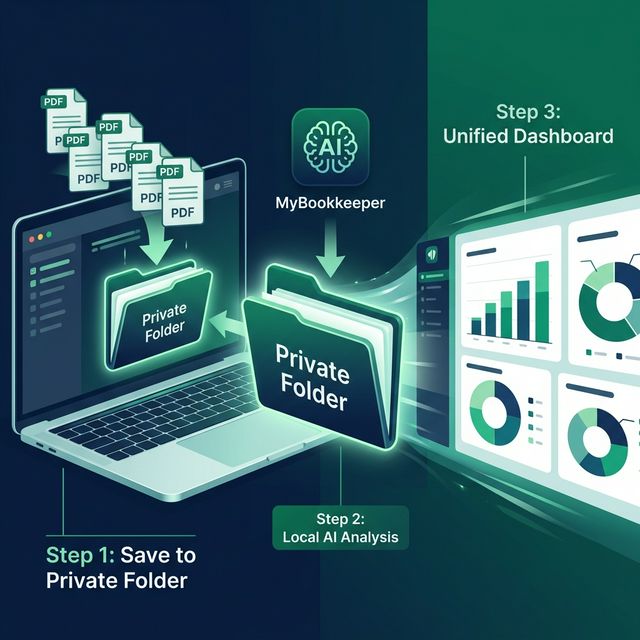
From Bank Statements to Dashboard in Minutes

A simple, secure process — managed entirely within your private folder.

MyBookkeeper Local AI Workflow

Experience MyBookkeeper

Take a look at how our local analysis transformation looks in action.

What Our Users Say

"

MyBookkeeper transformed how I manage my freelance finances. I save hours every month by not having to manually categorize my expenses, plus the local analysis gives me peace of mind.

Sarah Jenkins Freelance Designer
"

I used to spend hours manually extracting data from PDFs into spreadsheets. Now, it takes seconds, and the automated categorization is incredibly accurate.

David Chen Small Business Owner
"

The visual analytics feature is exactly what I needed. No more spreadsheets, just simple, beautiful, and completely private reports in seconds.

Emily Rodriguez Personal Finance Nerd

Frequently Asked Questions

Is my financial data secure?

+

Absolutely. MyBookkeeper is a 100% local application. All processing, merchant extraction, and analysis happens entirely on your own computer. No data is ever uploaded to the cloud.

What if the AI makes a mistake?

+

You have full control. Our Excel Viewer allows you to reassign individual transactions or entire categories. Every change is tracked in a persistent reassignment log so you can audit or reverse it anytime.

Can I use my own categories?

+

Yes. Our "Universal Bucket System" allows you to create custom financial categories and map transactions effectively. Changes are synchronized in real-time across all your data.

How much time does it take to complete the analysis?

+

It depends on the speed of your local desktop. We recommend running the App regularly where you can add new statements to your private folder for faster, incremental processing.

How much manual work is needed?

+

Manual involvement is very minimal. You only need to refine your editable results if you want to customize the categorization to your specific financial needs.

Simple, Transparent Pricing

Get full access to all features, updates, and secure local analysis.

✨ Your data stays yours. Our app runs 100% locally on your PC so your financial statements never leave your device.

Latest Release: App v...

Monthly Subscription

$ 9.99 /month

Secure Checkout with Stripe